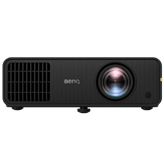
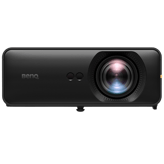
Yep, we may get a tiny thank-you (read: commission) when you buy through
links on Techspotr — not enough for a yacht, but enough to keep the lights (and
servers) on.
Learn more
97
Highlights
65
Differences
7
Reactions
0
Likes
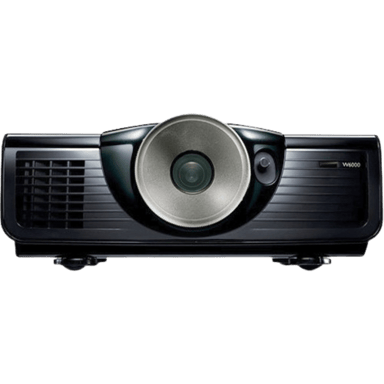
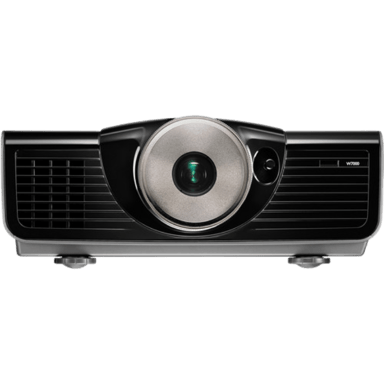
BenQ W6000
vs
BenQ W7000:
97 Highlights & 65 Differences —
So, Which Projector Actually Works Better
W6000 suits bright-focused users, W7000 suits enthusiasts wanting more features.
Trying to decide between BenQ W6000 and BenQ W7000? This projectors comparison covers features, design, and key native resolution, lens material, aperture size & focus type buyers care about.
Image Scaling Engine Type: Advanced
Defines the scaling engine used to upscale lower-resolution content to the projector’s native resolution.
with 52 points higher
Image Scaling Engine Type: Advanced
Defines the scaling engine used to upscale lower-resolution content to the projector’s native resolution.
with 52 points higher
Replacement Lamp Model: Standard Lamp
Defines the type or class of replacement lamp or light module compatible with the projector.
with 22 points higher
BenQ W6000 vs. W7000: Which Home Theater Projector Reigns Supreme?
When it comes to home theater projectors, both the BenQ W6000 and W7000 offer a compelling 1080p DLP viewing experience geared towards enthusiasts who want rich visuals on their big screen. These projectors share many core features such as native Full HD resolution, glass lenses, and a similar throw ratio range (1.62-2.43), supporting projections up to 300 inches. Despite these commonalities, several notable differences distinctly separate them in terms of brightness, image processing, power consumption, and user interface, shaping which model fits specific home theater setups better. Both projectors are crafted primarily from plastic, with the W7000 incorporating metal elements for extra durability.
BenQ W6000: Brightness and Efficiency Tailored for Vivid Viewing
The BenQ W6000 establishes a strong presence with its impressive 2500 lumens brightness output, which outshines the W7000's 2000 lumens. This elevated luminance makes the W6000 ideal for rooms where ambient light cannot be fully controlled, ensuring images remain vibrant and clear. Its lens boasts a slightly larger aperture of f/2.48, helping gather more light and contributing to its bright projection capabilities.
On the power front, this model features a normal power consumption of 430W and impressively low standby wattage of 0.5W, which benefits energy-conscious users. The W6000 supports multiple color temperature presets (Warm, Neutral, Cool), though it doesn't offer custom color settings or advanced corrections like skin tone adjustment.
Despite its brightness prowess, the W6000 lacks sharpness enhancement, advanced image scaling, or frame interpolation, which may cause images to be less crisp compared to its counterpart. Its user interface and control system are straightforward, featuring a standard remote and list-style menus. While functional, it doesn't provide additional user-friendly perks such as backlit controls or icon-based navigation options.
BenQ W7000: Advanced Image Refinement and Enhanced User Experience
For users who prioritize refined image quality and improved usability, the BenQ W7000 shines through its suite of advanced features. Unlike the W6000, it includes 2-4 level balanced sharpness enhancement along with skin tone correction capability, lending the projected images richer detail and more natural colors. The projector also employs an advanced image scaling engine, which fine-tunes picture clarity when projecting lower resolution sources.
Its light source delivers a slightly reduced brightness of 2000 lumens, complemented by a fine-tuned color temperature range with a custom mode, allowing users to tailor tones beyond the classic Warm, Neutral, and Cool presets. This granularity benefits color enthusiasts seeking personalized visuals.
Adding to the viewing pleasure, the W7000 integrates a powerful 10W built-in speaker, a notable upgrade over the W6000's lack of any internal audio output. This can be convenient for setups without external sound systems.
From a build perspective, this model incorporates both plastic and metal, lending it a more robust feel. It ships with a quick-start guide and includes an extended warranty, providing better assurance and support over the W6000 package.
Quick Take
The BenQ W6000 shines with superior brightness and better standby power efficiency, making it a strong contender for brighter rooms and energy-conscious users. Meanwhile, the BenQ W7000 impresses with sharper image processing, richer color control, enhanced audio, and a more engaging user interface, all at a notably lower price point. Both projectors sculpt excellent home cinema experiences but target slightly different user priorities.
Closing Recommendation
If your home theater environment requires maximum brightness and you value energy efficiency alongside straightforward operation, the BenQ W6000 meets those needs efficiently. However, for the best all-around image quality, color fidelity, and user-friendly features; especially considering its more attractive price; the BenQ W7000 is the smarter pick for most enthusiasts looking for advanced performance and convenience.
Verdict
Winner: BenQ W7000 - Offers superior image refinement, dynamic color correction, enhanced audio, and better usability features at a more affordable price.
Runner-up: BenQ W6000 - Delivers stronger brightness and slightly better standby energy efficiency, ideal for bright rooms with basic usage.
Check prices in other stores, maybe you'll find a cheaper BenQ W7000
(✱) Prices may be changed at any time without further notice.
Comparisons & Facts
167
Side by side. The numbers. The features. No drama.
Whether you’re leaning toward BenQ W6000 or tempted by BenQ W7000, this full projectors breakdown lays out their differences clearly. From highlights to hidden quirks, we’ve compared them all — so you don’t have to.
BenQ W6000 uses Plastic in its build material, whereas BenQ W7000 uses a combination of Plastic and Metal, suggesting a potentially more durable construction for the W7000.
Specifies the main construction material of the chassis.
In the battle of Build Material,
BenQ W6000 ◉ is
worse than
BenQ W7000 ◉
, delivering
lower
12 score
measurement.
Don’t keep it to yourself — be the first to react and review the
Build Material on BenQ W6000 ◉
vs BenQ W7000 ◉ and help others decide!
BenQ W6000 has a brighter output at 2500 lumens compared to BenQ W7000's 2000 lumens, which means the W6000 may perform better in well-lit environments.
Indicates overall light output for visibility in ambient light.
In the battle of Brightness Output,
BenQ W6000 ◉ is
better than
BenQ W7000 ◉
, delivering
higher
500.0 lumen
measurement.
Based on community votes for Brightness Output,
BenQ W6000 ◉ earned
1 votes,
more than
BenQ W7000 ◉,
which got 0 votes.
Who knows?
0Votes
BenQ W6000
(Help us out by suggesting one!)
61
BenQ W7000
1Votes
2–4 (Balanced)
vs
Sharpness Enhancement Type
BenQ W6000 does not have Sharpness Enhancement, while BenQ W7000 features Sharpness Enhancement ranging from 2 to 4 (Balanced), making the W7000 possibly sharper in image output.
What is the sharpness enhancement level?
Based on community votes for Sharpness Enhancement Type,
BenQ W6000 ◉ earned
0 votes,
less than
BenQ W7000 ◉,
which got 1 votes.
Who knows?
0Votes
BenQ W7000
(Help us out by suggesting one!)
vs
Keystone Correction Horizontal
BenQ W6000 supports 30 degrees horizontal keystone correction, while this feature value is unavailable for BenQ W7000, which could affect setup flexibility.
Horizontal angle adjustment to correct image distortion.
Don’t keep it to yourself — be the first to react and review the
Keystone Correction Horizontal on BenQ W6000 ◉
vs BenQ W7000 ◉ and help others decide!
BenQ W6000 features an aperture size of 2.48 f-stop, whereas BenQ W7000 has a slightly smaller aperture at 2.5 f-stop, suggesting similar light intake.
Specifies the optical aperture size affecting brightness and depth.
In the battle of Aperture Size,
BenQ W6000 ◉ is
better than
BenQ W7000 ◉
, delivering
equal
2.48 f-stop
measurement.
Don’t keep it to yourself — be the first to react and review the
Aperture Size on BenQ W6000 ◉
vs BenQ W7000 ◉ and help others decide!
Indicates whether the projector's lens can be replaced or upgraded.
In the battle of Lens Replacement Compatibility,
BenQ W6000 ◉ is
same as
BenQ W7000 ◉
.
Don’t keep it to yourself — be the first to react and review the
Lens Replacement Compatibility on BenQ W6000 ◉
vs BenQ W7000 ◉ and help others decide!
BenQ W6000's Light Source Power Output is 280 Watts, which is higher than BenQ W7000's 240 Watts, indicating potentially stronger light source intensity on the W6000.
Indicates the wattage of the light source, affecting brightness potential.
In the battle of Light Source Power Output,
BenQ W6000 ◉ is
better than
BenQ W7000 ◉
, delivering
higher
40.0 Watt
measurement.
Don’t keep it to yourself — be the first to react and review the
Light Source Power Output on BenQ W6000 ◉
vs BenQ W7000 ◉ and help others decide!
What is the color temperature setting of this projector?
29
BenQ W6000
0Votes
Neutral
41
BenQ W7000
0Votes
Warm, Neutral, Cool, Custom
vs
Color Temperature
BenQ W6000 uses a Neutral Color Temperature, whereas BenQ W7000 offers Warm, Neutral, Cool, and Custom color temperature options, providing more user control on the W7000.
Defines the visual warmth or coolness profile of the projected image.
In the battle of Color Temperature,
BenQ W6000 ◉ is
worse than
BenQ W7000 ◉
, delivering
lower
12 score
measurement.
Don’t keep it to yourself — be the first to react and review the
Color Temperature on BenQ W6000 ◉
vs BenQ W7000 ◉ and help others decide!
Light Source Lifetime Eco Mode
What is the light source lifetime in eco mode?
3,000
hour
0Votes
2,500
hour
0Votes
BenQ W6000
The light source lifetime in eco mode is up to 3000 hours, extending the usable life of the lamp under energy-saving conditions.
BenQ W7000
The light source lifetime in Eco mode is 2500 hours, extending usage time through reduced brightness settings.
Estimated lifespan of the light source in eco mode.
In the battle of Light Source Lifetime Eco Mode,
BenQ W6000 ◉ is
better than
BenQ W7000 ◉
, delivering
higher
500.0 hour
measurement.
Don’t keep it to yourself — be the first to react and review the
Light Source Lifetime Eco Mode on BenQ W6000 ◉
vs BenQ W7000 ◉ and help others decide!
Light Source Lifetime Normal Mode
What is the light source lifetime in normal mode?
3,000
hour
0Votes
2,000
hour
0Votes
BenQ W7000
Normal mode offers a light source lifetime of 2000 hours, balancing brightness and longevity.
Estimated lifespan in standard usage mode.
In the battle of Light Source Lifetime Normal Mode,
BenQ W6000 ◉ is
better than
BenQ W7000 ◉
, delivering
higher
1,000.0 hour
measurement.
Don’t keep it to yourself — be the first to react and review the
Light Source Lifetime Normal Mode on BenQ W6000 ◉
vs BenQ W7000 ◉ and help others decide!
Cool-Down Time
What is the cool-down time?
Who knows?
0Votes
BenQ W6000
(Help us out by suggesting one!)
90
second
0Votes
BenQ W7000
The cool-down time of 90 seconds indicates the duration needed for the projector to safely power down and allow the lamp and internal components to cool after use.
Time required before the projector safely powers off.
Don’t keep it to yourself — be the first to react and review the
Cool-Down Time on BenQ W6000 ◉
vs BenQ W7000 ◉ and help others decide!
Light Source Replaceability
Can the light source be replaced?
Yes
0Votes
BenQ W6000
Yes
0Votes
BenQ W7000
BenQ W7000
The light source is replaceable, allowing for extended projector lifespan through lamp replacement when it reaches the end of its service life.
Indicates whether users can replace the light source.
In the battle of Light Source Replaceability,
BenQ W6000 ◉ is
worse than
BenQ W7000 ◉
, delivering
lower
1 score
measurement.
Don’t keep it to yourself — be the first to react and review the
Light Source Replaceability on BenQ W6000 ◉
vs BenQ W7000 ◉ and help others decide!
Light Source Type
What is the light source type?
19
BenQ W6000
0Votes
Lamp
31
BenQ W7000
0Votes
Lamp
Defines the illumination technology powering the projector.
In the battle of Light Source Type,
BenQ W6000 ◉ is
worse than
BenQ W7000 ◉
, delivering
lower
12 score
measurement.
Don’t keep it to yourself — be the first to react and review the
Light Source Type on BenQ W6000 ◉
vs BenQ W7000 ◉ and help others decide!
Light Efficiency
What is the light efficiency?
Who knows?
0Votes
BenQ W6000
(Help us out by suggesting one!)
Who knows?
0Votes
BenQ W7000
(Help us out by suggesting one!)
Measures how effectively the light source converts power into brightness.
Don’t keep it to yourself — be the first to react and review the
Light Efficiency on BenQ W6000 ◉
vs BenQ W7000 ◉ and help others decide!
Light Flicker Control
Does this projector include light flicker control?
No
0Votes
BenQ W6000
Yes
0Votes
BenQ W7000
Indicates whether flicker reduction technology is implemented.
In the battle of Light Flicker Control,
BenQ W6000 ◉ is
worse than
BenQ W7000 ◉
.
Don’t keep it to yourself — be the first to react and review the
Light Flicker Control on BenQ W6000 ◉
vs BenQ W7000 ◉ and help others decide!
Imaging & Color Processing
13
Black Level Enhancement
Does this projector include black level enhancement?
Yes
0Votes
BenQ W6000
Yes
0Votes
BenQ W7000
BenQ W6000
Black level enhancement is included, which improves contrast by deepening dark areas within the image.
BenQ W7000
Includes black level enhancement features, improving contrast and depth in darker scenes.
Deepens dark scenes for improved shadow detail.
In the battle of Black Level Enhancement,
BenQ W6000 ◉ is
worse than
BenQ W7000 ◉
, delivering
lower
1 score
measurement.
Don’t keep it to yourself — be the first to react and review the
Black Level Enhancement on BenQ W6000 ◉
vs BenQ W7000 ◉ and help others decide!
Image Processor Type
What is the image processor type?
29
BenQ W6000
0Votes
Standard
61
BenQ W7000
0Votes
Pro Cinema
BenQ W7000
Featuring a Pro Cinema image processor, the projector is optimized for cinematic color accuracy and image quality.
Specifies the processing engine that handles color, scaling, and image optimization.
In the battle of Image Processor Type,
BenQ W6000 ◉ is
worse than
BenQ W7000 ◉
, delivering
lower
32 score
measurement.
Don’t keep it to yourself — be the first to react and review the
Image Processor Type on BenQ W6000 ◉
vs BenQ W7000 ◉ and help others decide!
Image Processing Bit Depth
What is the image processing bit depth?
10
bit
0Votes
10
bit
0Votes
BenQ W6000
Image processing bit depth of 10 bit allows smoother gradients and improved color precision.
Indicates color precision and gradient smoothness.
In the battle of Image Processing Bit Depth,
BenQ W6000 ◉ is
same as
BenQ W7000 ◉
, delivering
equal
10.00 bit
measurement.
Don’t keep it to yourself — be the first to react and review the
Image Processing Bit Depth on BenQ W6000 ◉
vs BenQ W7000 ◉ and help others decide!
Gamma Adjustment Levels
How many gamma adjustment levels are available?
4
BenQ W6000
0Votes
Standard
55
BenQ W7000
0Votes
Multiple presets
BenQ W7000
Users can select from multiple gamma adjustment presets to customize image brightness and contrast for different viewing environments.
Controls mid-tone brightness for accurate contrast.
In the battle of Gamma Adjustment Levels,
BenQ W6000 ◉ is
worse than
BenQ W7000 ◉
, delivering
lower
51 score
measurement.
Don’t keep it to yourself — be the first to react and review the
Gamma Adjustment Levels on BenQ W6000 ◉
vs BenQ W7000 ◉ and help others decide!
Skin Tone Correction
Does this projector offer skin tone correction?
No
0Votes
BenQ W6000
Yes
0Votes
BenQ W7000
vs
Skin Tone Correction
Skin Tone Correction is not available on BenQ W6000 but is featured on BenQ W7000, giving the W7000 potential advantage in skin tone rendering.
Enhances natural skin tones for realistic visuals.
In the battle of Skin Tone Correction,
BenQ W6000 ◉ is
worse than
BenQ W7000 ◉
.
Don’t keep it to yourself — be the first to react and review the
Skin Tone Correction on BenQ W6000 ◉
vs BenQ W7000 ◉ and help others decide!
White Balance Control
Does this projector include white balance control?
Yes
0Votes
BenQ W6000
Yes
0Votes
BenQ W7000
BenQ W6000
White balance control is available, allowing color accuracy adjustments to suit different content or ambient conditions.
Allows tuning of color balance for accurate whites.
In the battle of White Balance Control,
BenQ W6000 ◉ is
worse than
BenQ W7000 ◉
, delivering
lower
1 score
measurement.
Don’t keep it to yourself — be the first to react and review the
White Balance Control on BenQ W6000 ◉
vs BenQ W7000 ◉ and help others decide!
Image Scaling Engine Type
What type of image scaling engine does this projector use?
14
BenQ W6000
0Votes
Standard
66
BenQ W7000
0Votes
Advanced
vs
Image Scaling Engine Type
BenQ W6000 uses a Standard Image Scaling Engine, whereas BenQ W7000 has an Advanced Image Scaling Engine, possibly yielding better image upscaling quality on the W7000.
Defines the scaling engine used to upscale lower-resolution content to the projector’s native resolution.
In the battle of Image Scaling Engine Type,
BenQ W6000 ◉ is
worse than
BenQ W7000 ◉
, delivering
lower
52 score
measurement.
Don’t keep it to yourself — be the first to react and review the
Image Scaling Engine Type on BenQ W6000 ◉
vs BenQ W7000 ◉ and help others decide!
Color Calibration Profiles
What color calibration profiles are available?
29
BenQ W6000
0Votes
Rec709
56
BenQ W7000
0Votes
Rec709, Cinema
Predefined settings for accurate color reproduction.
In the battle of Color Calibration Profiles,
BenQ W6000 ◉ is
worse than
BenQ W7000 ◉
, delivering
lower
27 score
measurement.
Don’t keep it to yourself — be the first to react and review the
Color Calibration Profiles on BenQ W6000 ◉
vs BenQ W7000 ◉ and help others decide!
Auto Color Correction
Does this projector have auto color correction?
No
0Votes
BenQ W6000
No
0Votes
BenQ W7000
Automatically adjusts colors for the best image quality.
In the battle of Auto Color Correction,
BenQ W6000 ◉ is
same as
BenQ W7000 ◉
.
Don’t keep it to yourself — be the first to react and review the
Auto Color Correction on BenQ W6000 ◉
vs BenQ W7000 ◉ and help others decide!
Color Temperature Presets
What color temperature presets does this projector offer?
29
BenQ W6000
0Votes
Warm, Neutral, Cool
41
BenQ W7000
0Votes
Warm, Neutral, Cool
vs
Color Temperature Presets
BenQ W6000 offers Warm, Neutral, and Cool color temperature presets, while BenQ W7000 also uses these three presets, making their preset options comparable.
Preset visual warmth settings for different content.
In the battle of Color Temperature Presets,
BenQ W6000 ◉ is
worse than
BenQ W7000 ◉
, delivering
lower
12 score
measurement.
Don’t keep it to yourself — be the first to react and review the
Color Temperature Presets on BenQ W6000 ◉
vs BenQ W7000 ◉ and help others decide!
Noise Reduction Type
What type of noise reduction does this projector use?
49
BenQ W6000
0Votes
Motion Adaptive
41
BenQ W7000
0Votes
Standard
Indicates the technique used to reduce visual noise and artifacts for a cleaner image.
In the battle of Noise Reduction Type,
BenQ W6000 ◉ is
better than
BenQ W7000 ◉
, delivering
higher
8 score
measurement.
Don’t keep it to yourself — be the first to react and review the
Noise Reduction Type on BenQ W6000 ◉
vs BenQ W7000 ◉ and help others decide!
MEMC Mode
Does this projector support MEMC mode?
No
0Votes
BenQ W6000
No
0Votes
BenQ W7000
vs
MEMC Mode
Neither BenQ W6000 nor BenQ W7000 supports MEMC Mode, so motion flow enhancement is not available on either.
Motion interpolation for smooth fast-action content.
In the battle of MEMC Mode,
BenQ W6000 ◉ is
same as
BenQ W7000 ◉
.
Don’t keep it to yourself — be the first to react and review the
MEMC Mode on BenQ W6000 ◉
vs BenQ W7000 ◉ and help others decide!
Color Wheel Speed (for DLP)
What is the color wheel speed of this projector?
73
BenQ W6000
0Votes
6x
71
BenQ W7000
0Votes
6x
vs
Color Wheel Speed (for DLP)
Both BenQ W6000 and BenQ W7000 operate their color wheel at 6x speed, showing parity in color wheel mechanics.
Defines the rotational speed of the DLP color wheel, affecting color accuracy and rainbow artifact reduction.
In the battle of Color Wheel Speed (for DLP),
BenQ W6000 ◉ is
better than
BenQ W7000 ◉
, delivering
higher
2 score
measurement.
Don’t keep it to yourself — be the first to react and review the
Color Wheel Speed (for DLP) on BenQ W6000 ◉
vs BenQ W7000 ◉ and help others decide!
Smart Features & Software
12
Smart Calibration
Does this projector support smart calibration?
Yes
0Votes
BenQ W6000
No
0Votes
BenQ W7000
BenQ W6000
Smart calibration support means the projector can automatically or easily be calibrated for optimal color and image quality.
Indicates whether calibration can be optimized automatically or via app.
In the battle of Smart Calibration,
BenQ W6000 ◉ is
better than
BenQ W7000 ◉
, delivering
higher
39 score
measurement.
Don’t keep it to yourself — be the first to react and review the
Smart Calibration on BenQ W6000 ◉
vs BenQ W7000 ◉ and help others decide!
Operating System Type
What is the operating system type?
0
BenQ W6000
0Votes
No OS
1
BenQ W7000
0Votes
No OS
Specifies the software platform the projector runs on.
In the battle of Operating System Type,
BenQ W6000 ◉ is
worse than
BenQ W7000 ◉
, delivering
lower
1 score
measurement.
Don’t keep it to yourself — be the first to react and review the
Operating System Type on BenQ W6000 ◉
vs BenQ W7000 ◉ and help others decide!
App Store Support
Does this projector support an app store?
No
0Votes
BenQ W6000
No
0Votes
BenQ W7000
Indicates support for downloading apps directly to the projector.
In the battle of App Store Support,
BenQ W6000 ◉ is
same as
BenQ W7000 ◉
.
Don’t keep it to yourself — be the first to react and review the
App Store Support on BenQ W6000 ◉
vs BenQ W7000 ◉ and help others decide!
Built-In Streaming Apps
What built-in streaming apps are available?
Who knows?
0Votes
BenQ W6000
(Help us out by suggesting one!)
Who knows?
0Votes
BenQ W7000
(Help us out by suggesting one!)
Lists available preinstalled streaming services.
Don’t keep it to yourself — be the first to react and review the
Built-In Streaming Apps on BenQ W6000 ◉
vs BenQ W7000 ◉ and help others decide!
Voice Control
Does this projector support voice control?
No
0Votes
BenQ W6000
No
0Votes
BenQ W7000
vs
Voice Control
Neither BenQ W6000 nor BenQ W7000 supports voice control, so voice interaction features are missing in both.
Enables hands-free control using supported voice assistants.
In the battle of Voice Control,
BenQ W6000 ◉ is
same as
BenQ W7000 ◉
.
Don’t keep it to yourself — be the first to react and review the
Voice Control on BenQ W6000 ◉
vs BenQ W7000 ◉ and help others decide!
AI Auto Image Optimization
Does this projector include AI auto image optimization?
No
0Votes
BenQ W6000
No
0Votes
BenQ W7000
Automatically enhances image settings using AI.
In the battle of AI Auto Image Optimization,
BenQ W6000 ◉ is
same as
BenQ W7000 ◉
.
Don’t keep it to yourself — be the first to react and review the
AI Auto Image Optimization on BenQ W6000 ◉
vs BenQ W7000 ◉ and help others decide!
Wireless Casting
Does this projector support wireless casting?
No
0Votes
BenQ W6000
No
0Votes
BenQ W7000
Indicates compatibility with casting protocols like Chromecast or AirPlay.
In the battle of Wireless Casting,
BenQ W6000 ◉ is
same as
BenQ W7000 ◉
.
Don’t keep it to yourself — be the first to react and review the
Wireless Casting on BenQ W6000 ◉
vs BenQ W7000 ◉ and help others decide!
Screen Mirroring Standard
What screen mirroring standard does this projector support?
Who knows?
0Votes
BenQ W6000
(Help us out by suggesting one!)
Who knows?
0Votes
BenQ W7000
(Help us out by suggesting one!)
Specifies which standard is used for mirroring devices.
Don’t keep it to yourself — be the first to react and review the
Screen Mirroring Standard on BenQ W6000 ◉
vs BenQ W7000 ◉ and help others decide!
Bluetooth Version
What is the Bluetooth version?
Who knows?
0Votes
BenQ W6000
(Help us out by suggesting one!)
Who knows?
0Votes
BenQ W7000
(Help us out by suggesting one!)
Indicates the Bluetooth protocol version for audio and accessories.
Don’t keep it to yourself — be the first to react and review the
Bluetooth Version on BenQ W6000 ◉
vs BenQ W7000 ◉ and help others decide!
Wi-Fi Band Support
What Wi-Fi bands does this projector support?
Who knows?
0Votes
BenQ W6000
(Help us out by suggesting one!)
Who knows?
0Votes
BenQ W7000
(Help us out by suggesting one!)
Indicates the supported wireless frequency bands.
Don’t keep it to yourself — be the first to react and review the
Wi-Fi Band Support on BenQ W6000 ◉
vs BenQ W7000 ◉ and help others decide!
Software Update Method
What is the software update method?
39
BenQ W6000
0Votes
USB
61
BenQ W7000
0Votes
USB
Describes how firmware updates are applied.
In the battle of Software Update Method,
BenQ W6000 ◉ is
worse than
BenQ W7000 ◉
, delivering
lower
22 score
measurement.
Don’t keep it to yourself — be the first to react and review the
Software Update Method on BenQ W6000 ◉
vs BenQ W7000 ◉ and help others decide!
On-Device Storage Capacity
What is the on-device storage capacity?
Who knows?
0Votes
BenQ W6000
(Help us out by suggesting one!)
Who knows?
0Votes
BenQ W7000
(Help us out by suggesting one!)
Amount of internal memory available for apps and media.
Don’t keep it to yourself — be the first to react and review the
On-Device Storage Capacity on BenQ W6000 ◉
vs BenQ W7000 ◉ and help others decide!
Connectivity & I/O Ports
14
VGA Port
Does this projector support VGA input?
Yes
0Votes
BenQ W6000
Yes
0Votes
BenQ W7000
vs
VGA Port
Both BenQ W6000 and BenQ W7000 feature a VGA port, ensuring compatibility with older video sources.
Indicates presence of a VGA input for legacy devices.
In the battle of VGA Port,
BenQ W6000 ◉ is
worse than
BenQ W7000 ◉
, delivering
lower
1 score
measurement.
Don’t keep it to yourself — be the first to react and review the
VGA Port on BenQ W6000 ◉
vs BenQ W7000 ◉ and help others decide!
HDMI Ports Count
How many HDMI ports does this projector have?
39
BenQ W6000
0Votes
2
41
BenQ W7000
0Votes
2
BenQ W6000
Two HDMI ports are available, allowing simultaneous connection of multiple high-definition sources.
Number of HDMI inputs available for digital video and audio.
In the battle of HDMI Ports Count,
BenQ W6000 ◉ is
worse than
BenQ W7000 ◉
, delivering
lower
2 score
measurement.
Don’t keep it to yourself — be the first to react and review the
HDMI Ports Count on BenQ W6000 ◉
vs BenQ W7000 ◉ and help others decide!
HDMI Version
What HDMI version does this projector support?
19
BenQ W6000
0Votes
1.3
24
BenQ W7000
0Votes
1.4
BenQ W7000
The HDMI version supported is 1.4, allowing video and audio transmission with standard HD compatibility.
Specifies the supported HDMI standard.
In the battle of HDMI Version,
BenQ W6000 ◉ is
worse than
BenQ W7000 ◉
, delivering
lower
5 score
measurement.
Don’t keep it to yourself — be the first to react and review the
HDMI Version on BenQ W6000 ◉
vs BenQ W7000 ◉ and help others decide!
USB Ports Count
How many USB ports does this projector have?
22
BenQ W6000
0Votes
1
24
BenQ W7000
0Votes
1
BenQ W7000
Includes one USB port, supporting peripheral connectivity or media playback from USB devices.
Indicates how many USB ports are available.
In the battle of USB Ports Count,
BenQ W6000 ◉ is
worse than
BenQ W7000 ◉
, delivering
lower
2 score
measurement.
Don’t keep it to yourself — be the first to react and review the
USB Ports Count on BenQ W6000 ◉
vs BenQ W7000 ◉ and help others decide!
Audio Out Port Type
What type of audio out port does this projector have?
Who knows?
0Votes
BenQ W6000
(Help us out by suggesting one!)
36
BenQ W7000
0Votes
3.5mm, Optical
vs
Audio Out Port Type
Audio Out Port Type is unavailable on BenQ W6000 but is 3.5mm and Optical on BenQ W7000, offering more audio output options on the W7000.
Indicates available audio output interfaces.
Don’t keep it to yourself — be the first to react and review the
Audio Out Port Type on BenQ W6000 ◉
vs BenQ W7000 ◉ and help others decide!
AV Composite Input
Does this projector offer AV composite input?
Yes
0Votes
BenQ W6000
Yes
0Votes
BenQ W7000
vs
AV Composite Input
Both BenQ W6000 and BenQ W7000 support AV Composite Input, allowing connection of legacy video devices.
Indicates whether composite video input is available.
In the battle of AV Composite Input,
BenQ W6000 ◉ is
worse than
BenQ W7000 ◉
, delivering
lower
1 score
measurement.
Don’t keep it to yourself — be the first to react and review the
AV Composite Input on BenQ W6000 ◉
vs BenQ W7000 ◉ and help others decide!
Optical Audio Output
Does this projector include an optical audio output?
No
0Votes
BenQ W6000
Yes
0Votes
BenQ W7000
BenQ W7000
An optical audio output is available for high-quality digital sound connections.
Indicates availability of optical audio interface for high-quality sound systems.
In the battle of Optical Audio Output,
BenQ W6000 ◉ is
worse than
BenQ W7000 ◉
.
Don’t keep it to yourself — be the first to react and review the
Optical Audio Output on BenQ W6000 ◉
vs BenQ W7000 ◉ and help others decide!
12V Trigger Port
Does this projector have a 12V trigger port?
Yes
0Votes
BenQ W6000
Yes
0Votes
BenQ W7000
BenQ W7000
The inclusion of a 12V trigger port allows the projector to control other devices, such as motorized screens, with ease.
Used to control motorized screens and automation systems.
In the battle of 12V Trigger Port,
BenQ W6000 ◉ is
worse than
BenQ W7000 ◉
, delivering
lower
1 score
measurement.
Don’t keep it to yourself — be the first to react and review the
12V Trigger Port on BenQ W6000 ◉
vs BenQ W7000 ◉ and help others decide!
RS-232 Port
Does this projector include an RS-232 port?
No
0Votes
BenQ W6000
Yes
0Votes
BenQ W7000
vs
RS-232 Port
BenQ W6000 does not have an RS-232 port, while BenQ W7000 does include this port, potentially benefiting professional integration for the W7000.
Indicates support for professional control and automation systems.
Don’t keep it to yourself — be the first to react and review the
RS-232 Port on BenQ W6000 ◉
vs BenQ W7000 ◉ and help others decide!
USB Type Support
What USB types are supported?
24
BenQ W6000
0Votes
USB‑MiniB
31
BenQ W7000
0Votes
USB-A
Defines the supported USB standards and connector types.
In the battle of USB Type Support,
BenQ W6000 ◉ is
worse than
BenQ W7000 ◉
, delivering
lower
7 score
measurement.
Don’t keep it to yourself — be the first to react and review the
USB Type Support on BenQ W6000 ◉
vs BenQ W7000 ◉ and help others decide!
Ethernet Port
Does this projector support Ethernet?
No
0Votes
BenQ W6000
No
0Votes
BenQ W7000
Indicates whether wired internet connectivity is available.
In the battle of Ethernet Port,
BenQ W6000 ◉ is
same as
BenQ W7000 ◉
.
Don’t keep it to yourself — be the first to react and review the
Ethernet Port on BenQ W6000 ◉
vs BenQ W7000 ◉ and help others decide!
SD Card Slot
Does this projector support an SD card slot?
No
0Votes
BenQ W6000
No
0Votes
BenQ W7000
vs
SD Card Slot
Neither BenQ W6000 nor BenQ W7000 has an SD card slot, so direct media playback from cards is not possible.
Indicates ability to read media directly from SD cards.
In the battle of SD Card Slot,
BenQ W6000 ◉ is
same as
BenQ W7000 ◉
.
Don’t keep it to yourself — be the first to react and review the
SD Card Slot on BenQ W6000 ◉
vs BenQ W7000 ◉ and help others decide!
Wireless Input Lag
What is the wireless input lag?
Who knows?
0Votes
BenQ W6000
(Help us out by suggesting one!)
Who knows?
0Votes
BenQ W7000
(Help us out by suggesting one!)
Measures latency when receiving content wirelessly.
Don’t keep it to yourself — be the first to react and review the
Wireless Input Lag on BenQ W6000 ◉
vs BenQ W7000 ◉ and help others decide!
Wired Input Lag
What is the wired input lag?
Who knows?
0Votes
BenQ W6000
(Help us out by suggesting one!)
Who knows?
0Votes
BenQ W7000
(Help us out by suggesting one!)
Measures latency over wired connections, important for gaming.
Don’t keep it to yourself — be the first to react and review the
Wired Input Lag on BenQ W6000 ◉
vs BenQ W7000 ◉ and help others decide!
Audio System
9
Speaker Output Power
What is the speaker output power?
0
Watt
0Votes
10
Watt
1Votes
vs
Speaker Output Power
BenQ W6000 has a speaker output power of 0 Watts compared to BenQ W7000's 10 Watts, meaning only the W7000 provides built-in speaker sound output.
Indicates total audio power from built-in speakers.
In the battle of Speaker Output Power,
BenQ W6000 ◉ is
same as
BenQ W7000 ◉
.
Based on community votes for Speaker Output Power,
BenQ W6000 ◉ earned
0 votes,
less than
BenQ W7000 ◉,
which got 1 votes.
Gotta say, love the W7000's icon-based menu, super user friendly.
See more
Control Panel Type
What is the control panel type?
19
BenQ W6000
0Votes
Buttons
11
BenQ W7000
0Votes
Buttons
Indicates the type of on-device control interface.
In the battle of Control Panel Type,
BenQ W6000 ◉ is
better than
BenQ W7000 ◉
, delivering
higher
8 score
measurement.
Don’t keep it to yourself — be the first to react and review the
Control Panel Type on BenQ W6000 ◉
vs BenQ W7000 ◉ and help others decide!
Remote Control Type
What type of remote control is included?
0
BenQ W6000
0Votes
Standard
21
BenQ W7000
0Votes
Standard, Backlit
vs
Remote Control Type
BenQ W6000 has a Standard remote control, whereas BenQ W7000 includes a Standard Backlit remote control, which can improve usability in low light.
Defines the style and capability of the included remote.
In the battle of Remote Control Type,
BenQ W6000 ◉ is
worse than
BenQ W7000 ◉
, delivering
lower
21 score
measurement.
Don’t keep it to yourself — be the first to react and review the
Remote Control Type on BenQ W6000 ◉
vs BenQ W7000 ◉ and help others decide!
On-Screen Menu Features
What on-screen menu features does this projector offer?
Who knows?
0Votes
BenQ W6000
(Help us out by suggesting one!)
76
BenQ W7000
0Votes
Advanced Settings, Icon-Based Menu
vs
On-Screen Menu Features
On-Screen Menu Features are not available for BenQ W6000 but are advanced and icon-based for BenQ W7000, offering potentially better user experience on the W7000.
Describes navigational and functional features available inside the on-screen display (OSD) menu.
Don’t keep it to yourself — be the first to react and review the
On-Screen Menu Features on BenQ W6000 ◉
vs BenQ W7000 ◉ and help others decide!
Programmable Buttons
Does this projector include programmable buttons?
No
0Votes
BenQ W6000
No
0Votes
BenQ W7000
Determines whether the projector or remote includes assignable hotkeys.
In the battle of Programmable Buttons,
BenQ W6000 ◉ is
same as
BenQ W7000 ◉
.
Don’t keep it to yourself — be the first to react and review the
Programmable Buttons on BenQ W6000 ◉
vs BenQ W7000 ◉ and help others decide!
Indicator Light Controls
Does this projector support indicator light controls?
No
0Votes
BenQ W6000
Yes
0Votes
BenQ W7000
Allows dimming or disabling LED indicator lights.
In the battle of Indicator Light Controls,
BenQ W6000 ◉ is
worse than
BenQ W7000 ◉
.
Don’t keep it to yourself — be the first to react and review the
Indicator Light Controls on BenQ W6000 ◉
vs BenQ W7000 ◉ and help others decide!
Power & Electrical
12
Standby Power
What is the standby power consumption?
0.5
Watt
1Votes
1
Watt
0Votes
vs
Standby Power
BenQ W6000 uses 0.5 Watts in standby power while BenQ W7000 uses 1 Watt, meaning W6000 is slightly more power efficient in standby.
Power consumed when the projector is not active but still plugged in.
In the battle of Standby Power,
BenQ W6000 ◉ is
better than
BenQ W7000 ◉
, delivering
lower
0.5 Watt
measurement.
Based on community votes for Standby Power,
BenQ W6000 ◉ earned
1 votes,
more than
BenQ W7000 ◉,
which got 0 votes.
In the battle of Height,
BenQ W6000 ◉ is
better than
BenQ W7000 ◉
, delivering
lower
6.4 inch
measurement.
Don’t keep it to yourself — be the first to react and review the
Height on BenQ W6000 ◉
vs BenQ W7000 ◉ and help others decide!
Weight
What is the weight of the projector?
14.8
lbs
0Votes
14.8
lbs
0Votes
BenQ W6000
The projector weighs 14.8 lbs (6.71 kg), making it moderately portable for a fixed home theater unit.
BenQ W7000
The projector weight is 14.8 lbs (6.71 kg), which affects portability and installation.
Total weight of the projector.
In the battle of Weight,
BenQ W6000 ◉ is
same as
BenQ W7000 ◉
, delivering
equal
14.80 lbs
measurement.
Don’t keep it to yourself — be the first to react and review the
Weight on BenQ W6000 ◉
vs BenQ W7000 ◉ and help others decide!
Package Width
What is the package width?
22
inch
0Votes
22
inch
0Votes
BenQ W6000
Package width is 22 inches (55.88 cm), important for shipping and storage considerations.
BenQ W7000
The package width measures 22 inches (55.88 cm), reflecting the overall bulk including protective packaging.
Width of the boxed projector.
In the battle of Package Width,
BenQ W6000 ◉ is
same as
BenQ W7000 ◉
, delivering
equal
22.00 inch
measurement.
Don’t keep it to yourself — be the first to react and review the
Package Width on BenQ W6000 ◉
vs BenQ W7000 ◉ and help others decide!
Package Depth
What is the package depth?
18
inch
0Votes
10.3
inch
0Votes
vs
Package Depth
The package depth for BenQ W6000 is 18 inches, compared to 10.3 inches for BenQ W7000, meaning the W7000 is packaged more compactly.
Depth of the boxed projector.
In the battle of Package Depth,
BenQ W6000 ◉ is
worse than
BenQ W7000 ◉
, delivering
higher
7.7 inch
measurement.
Don’t keep it to yourself — be the first to react and review the
Package Depth on BenQ W6000 ◉
vs BenQ W7000 ◉ and help others decide!
Package Height
What is the package height?
12
inch
0Votes
16.9
inch
0Votes
BenQ W6000
Package height is 12 inches (30.48 cm), complementing width and depth for total box size.
BenQ W7000
The package height is 16.9 inches (42.93 cm) ensuring ample protection during shipping and handling.
Height of the boxed projector.
In the battle of Package Height,
BenQ W6000 ◉ is
better than
BenQ W7000 ◉
, delivering
lower
4.9 inch
measurement.
Don’t keep it to yourself — be the first to react and review the
Package Height on BenQ W6000 ◉
vs BenQ W7000 ◉ and help others decide!
Ceiling Mount Compatibility
Is the projector compatible with ceiling mounting?
Yes
0Votes
BenQ W6000
Yes
0Votes
BenQ W7000
vs
Ceiling Mount Compatibility
BenQ W6000 and BenQ W7000 both support ceiling mount compatibility, making either suitable for fixed ceiling installations.
Indicates whether the projector supports ceiling mounting.
In the battle of Ceiling Mount Compatibility,
BenQ W6000 ◉ is
worse than
BenQ W7000 ◉
, delivering
lower
1 score
measurement.
Don’t keep it to yourself — be the first to react and review the
Ceiling Mount Compatibility on BenQ W6000 ◉
vs BenQ W7000 ◉ and help others decide!
Width
What is the width of the projector?
16.8
inch
0Votes
16.85
inch
0Votes
vs
Width
BenQ W6000 measures 16.8 inches wide, whereas BenQ W7000 is slightly wider at 16.85 inches, a negligible difference in width.
Physical width of the projector body.
In the battle of Width,
BenQ W6000 ◉ is
better than
BenQ W7000 ◉
, delivering
lower
0.1 inch
measurement.
Don’t keep it to yourself — be the first to react and review the
Width on BenQ W6000 ◉
vs BenQ W7000 ◉ and help others decide!
Cooling Fan Size
What is the cooling fan size?
2
inch
0Votes
Who knows?
0Votes
BenQ W7000
(Help us out by suggesting one!)
BenQ W6000
The cooling fan size is 2 inches (5.08 cm), indicating its scale in managing the device's heat dissipation.
Fan diameter contributing to cooling performance.
Don’t keep it to yourself — be the first to react and review the
Cooling Fan Size on BenQ W6000 ◉
vs BenQ W7000 ◉ and help others decide!
Chassis Reinforcement Type
What type of chassis reinforcement is used?
39
BenQ W6000
0Votes
Standard Reinforcement
81
BenQ W7000
0Votes
Metal Frame Reinforcement
BenQ W7000
Chassis is reinforced with a metal frame, enhancing durability and protecting components from damage.
Indicates extra structural strengthening applied to the projector chassis.
In the battle of Chassis Reinforcement Type,
BenQ W6000 ◉ is
worse than
BenQ W7000 ◉
, delivering
lower
42 score
measurement.
Don’t keep it to yourself — be the first to react and review the
Chassis Reinforcement Type on BenQ W6000 ◉
vs BenQ W7000 ◉ and help others decide!
Folded Width
What is the folded width?
Who knows?
0Votes
BenQ W6000
(Help us out by suggesting one!)
Who knows?
0Votes
BenQ W7000
(Help us out by suggesting one!)
Width when the projector or components are folded (if applicable).
Don’t keep it to yourself — be the first to react and review the
Folded Width on BenQ W6000 ◉
vs BenQ W7000 ◉ and help others decide!
Folded Depth
What is the folded depth?
Who knows?
0Votes
BenQ W6000
(Help us out by suggesting one!)
Who knows?
0Votes
BenQ W7000
(Help us out by suggesting one!)
Folded depth measurement.
Don’t keep it to yourself — be the first to react and review the
Folded Depth on BenQ W6000 ◉
vs BenQ W7000 ◉ and help others decide!
Folded Height
What is the folded height?
Who knows?
0Votes
BenQ W6000
(Help us out by suggesting one!)
Who knows?
0Votes
BenQ W7000
(Help us out by suggesting one!)
Folded height measurement.
Don’t keep it to yourself — be the first to react and review the
Folded Height on BenQ W6000 ◉
vs BenQ W7000 ◉ and help others decide!
Mounting Type
What is the mounting type?
39
BenQ W6000
0Votes
Tabletop, Ceiling
16
BenQ W7000
0Votes
Tabletop, Ceiling
vs
Mounting Type
The Mounting Type for both BenQ W6000 and BenQ W7000 supports Tabletop and Ceiling installation, giving versatile placement options.
Describes available mounting configurations.
In the battle of Mounting Type,
BenQ W6000 ◉ is
better than
BenQ W7000 ◉
, delivering
higher
23 score
measurement.
Don’t keep it to yourself — be the first to react and review the
Mounting Type on BenQ W6000 ◉
vs BenQ W7000 ◉ and help others decide!
Tripod Mount Compatibility
Is the projector tripod compatible?
No
0Votes
BenQ W6000
No
0Votes
BenQ W7000
Indicates whether the projector can attach to tripods.
In the battle of Tripod Mount Compatibility,
BenQ W6000 ◉ is
same as
BenQ W7000 ◉
.
Don’t keep it to yourself — be the first to react and review the
Tripod Mount Compatibility on BenQ W6000 ◉
vs BenQ W7000 ◉ and help others decide!
Carry Handle
Does the projector include a carry handle?
No
0Votes
BenQ W6000
No
0Votes
BenQ W7000
Indicates whether the projector includes a handle for portability.
In the battle of Carry Handle,
BenQ W6000 ◉ is
same as
BenQ W7000 ◉
.
Don’t keep it to yourself — be the first to react and review the
Carry Handle on BenQ W6000 ◉
vs BenQ W7000 ◉ and help others decide!
Body Ventilation Design
What is the body ventilation design of this projector?
49
BenQ W6000
0Votes
Side Vent
41
BenQ W7000
0Votes
Side Vent
Describes the airflow layout used to cool the internal components.
In the battle of Body Ventilation Design,
BenQ W6000 ◉ is
better than
BenQ W7000 ◉
, delivering
higher
8 score
measurement.
Don’t keep it to yourself — be the first to react and review the
Body Ventilation Design on BenQ W6000 ◉
vs BenQ W7000 ◉ and help others decide!
Environmental Conditions
10
Storage Temperature Minimum
What is the minimum storage temperature?
-4
°F
0Votes
-4
°F
0Votes
BenQ W6000
The minimum storage temperature is -4 °F (-20 °C), defining safe temperature limits for transporting or storing the projector.
BenQ W7000
Minimum storage temperature is -4°F (-20°C), showing it can withstand low temperatures during storage.
Minimum safe temperature for storing the projector.
In the battle of Storage Temperature Minimum,
BenQ W6000 ◉ is
same as
BenQ W7000 ◉
, delivering
equal
-4.00 °F
measurement.
Don’t keep it to yourself — be the first to react and review the
Storage Temperature Minimum on BenQ W6000 ◉
vs BenQ W7000 ◉ and help others decide!
Light Spill Control
Does this projector have light spill control?
No
0Votes
BenQ W6000
Yes
0Votes
BenQ W7000
BenQ W6000
Light spill control is not present; therefore, some unintended light diffusion may occur around the projected image.
BenQ W7000
Light spill control is implemented to reduce stray light and improve black level performance.
Indicates measures used to contain unwanted light scatter.
In the battle of Light Spill Control,
BenQ W6000 ◉ is
worse than
BenQ W7000 ◉
.
Don’t keep it to yourself — be the first to react and review the
Light Spill Control on BenQ W6000 ◉
vs BenQ W7000 ◉ and help others decide!
Operating Temperature Minimum
What is the minimum operating temperature?
32
°F
0Votes
41
°F
0Votes
vs
Operating Temperature Minimum
BenQ W6000 operates from a minimum temperature of 32°F, while BenQ W7000 requires at least 41°F, making W6000 more tolerant to cooler conditions.
Minimum safe temperature at which the projector can operate.
In the battle of Operating Temperature Minimum,
BenQ W6000 ◉ is
better than
BenQ W7000 ◉
, delivering
lower
9.0 °F
measurement.
Don’t keep it to yourself — be the first to react and review the
Operating Temperature Minimum on BenQ W6000 ◉
vs BenQ W7000 ◉ and help others decide!
Storage Temperature Maximum
What is the maximum storage temperature?
140
°F
0Votes
140
°F
0Votes
BenQ W7000
The maximum storage temperature is 140°F (60°C), indicating tolerance for hot storage conditions.
Maximum temperature the projector can handle when stored.
In the battle of Storage Temperature Maximum,
BenQ W6000 ◉ is
same as
BenQ W7000 ◉
, delivering
equal
140.00 °F
measurement.
Don’t keep it to yourself — be the first to react and review the
Storage Temperature Maximum on BenQ W6000 ◉
vs BenQ W7000 ◉ and help others decide!
Storage Humidity Range
What is the storage humidity range?
49
BenQ W6000
0Votes
10‑90% RH
51
BenQ W7000
0Votes
10-90% RH
vs
Storage Humidity Range
Both BenQ W6000 and BenQ W7000 support storage humidity range of about 10–90% RH, showing comparable storage environment flexibility.
Humidity levels tolerated during storage.
In the battle of Storage Humidity Range,
BenQ W6000 ◉ is
worse than
BenQ W7000 ◉
, delivering
lower
2 score
measurement.
Don’t keep it to yourself — be the first to react and review the
Storage Humidity Range on BenQ W6000 ◉
vs BenQ W7000 ◉ and help others decide!
Outdoor Use
Does this projector support outdoor use?
No
0Votes
BenQ W6000
No
0Votes
BenQ W7000
BenQ W7000
This projector is not intended for outdoor use, which typically requires different environmental protections.
Specifies whether the projector is designed for outdoor environments.
In the battle of Outdoor Use,
BenQ W6000 ◉ is
same as
BenQ W7000 ◉
.
Don’t keep it to yourself — be the first to react and review the
Outdoor Use on BenQ W6000 ◉
vs BenQ W7000 ◉ and help others decide!
Eco Mode Power Reduction Percentage
What is the eco mode power reduction percentage?
21
%
0Votes
30
%
0Votes
vs
Eco Mode Power Reduction Percentage
The Eco Mode Power Reduction is 21% for BenQ W6000 and 30% for BenQ W7000, suggesting better energy savings when Eco Mode is enabled on the W7000.
Amount of power saved when using eco mode.
In the battle of Eco Mode Power Reduction Percentage,
BenQ W6000 ◉ is
worse than
BenQ W7000 ◉
, delivering
lower
9.0 %
measurement.
Don’t keep it to yourself — be the first to react and review the
Eco Mode Power Reduction Percentage on BenQ W6000 ◉
vs BenQ W7000 ◉ and help others decide!
Operating Temperature Maximum
What is the maximum operating temperature?
95
°F
0Votes
95
°F
0Votes
Maximum safe temperature for normal operation.
In the battle of Operating Temperature Maximum,
BenQ W6000 ◉ is
same as
BenQ W7000 ◉
, delivering
equal
95.00 °F
measurement.
Don’t keep it to yourself — be the first to react and review the
Operating Temperature Maximum on BenQ W6000 ◉
vs BenQ W7000 ◉ and help others decide!
Operating Humidity Range
What is the operating humidity range?
29
BenQ W6000
0Votes
10‑90% RH
76
BenQ W7000
0Votes
10-90% RH
vs
Operating Humidity Range
Operating humidity range is 10–90% RH for both BenQ W6000 and BenQ W7000, indicating similar operating environment requirements.
Acceptable humidity levels for proper operation.
In the battle of Operating Humidity Range,
BenQ W6000 ◉ is
worse than
BenQ W7000 ◉
, delivering
lower
47 score
measurement.
Don’t keep it to yourself — be the first to react and review the
Operating Humidity Range on BenQ W6000 ◉
vs BenQ W7000 ◉ and help others decide!
Dust Resistance Rating
What is the dust resistance rating?
39
BenQ W6000
0Votes
Basic
41
BenQ W7000
0Votes
Basic
vs
Dust Resistance Rating
Both BenQ W6000 and BenQ W7000 have a Basic dust resistance rating, indicating similar vulnerability to dust exposure.
Indicates how well the projector resists dust intrusion.
In the battle of Dust Resistance Rating,
BenQ W6000 ◉ is
worse than
BenQ W7000 ◉
, delivering
lower
2 score
measurement.
Don’t keep it to yourself — be the first to react and review the
Dust Resistance Rating on BenQ W6000 ◉
vs BenQ W7000 ◉ and help others decide!
Accessories & Warranty
8
Quick-Start Guide
Is a quick-start guide included?
No
0Votes
BenQ W6000
Yes
0Votes
BenQ W7000
vs
Quick-Start Guide
A Quick-Start Guide is not available for BenQ W6000 but is included with BenQ W7000, which may ease initial setup for the W7000.
Indicates whether a printed or digital quick-start guide is provided.
Don’t keep it to yourself — be the first to react and review the
Quick-Start Guide on BenQ W6000 ◉
vs BenQ W7000 ◉ and help others decide!
Extended Warranty
Does this projector support extended warranty options?
No
0Votes
BenQ W6000
Yes
0Votes
BenQ W7000
vs
Extended Warranty
Extended Warranty is not offered with BenQ W6000 but is available for BenQ W7000, providing longer warranty options for the W7000.
Indicates whether users can purchase extended warranty coverage.
In the battle of Extended Warranty,
BenQ W6000 ◉ is
worse than
BenQ W7000 ◉
.
Don’t keep it to yourself — be the first to react and review the
Extended Warranty on BenQ W6000 ◉
vs BenQ W7000 ◉ and help others decide!
Included Accessories
What accessories are included with the projector?
19
BenQ W6000
0Votes
Remote, Power Cable
26
BenQ W7000
0Votes
Remote, Power Cable
Lists the accessories that come in the box.
In the battle of Included Accessories,
BenQ W6000 ◉ is
worse than
BenQ W7000 ◉
, delivering
lower
7 score
measurement.
Don’t keep it to yourself — be the first to react and review the
Included Accessories on BenQ W6000 ◉
vs BenQ W7000 ◉ and help others decide!
Remote Control Battery Type
What battery type does the remote control use?
9
BenQ W6000
0Votes
AAA
41
BenQ W7000
0Votes
AA
vs
Remote Control Battery Type
BenQ W6000 uses AAA batteries for its remote control, whereas BenQ W7000 uses AA batteries, which differ in size and availability.
Specifies the battery type required for the remote.
In the battle of Remote Control Battery Type,
BenQ W6000 ◉ is
worse than
BenQ W7000 ◉
, delivering
lower
32 score
measurement.
Don’t keep it to yourself — be the first to react and review the
Remote Control Battery Type on BenQ W6000 ◉
vs BenQ W7000 ◉ and help others decide!
Replacement Lamp Model
What replacement lamp model is supported?
9
BenQ W6000
0Votes
Standard Lamp
31
BenQ W7000
0Votes
Standard Lamp
Defines the type or class of replacement lamp or light module compatible with the projector.
In the battle of Replacement Lamp Model,
BenQ W6000 ◉ is
worse than
BenQ W7000 ◉
, delivering
lower
22 score
measurement.
Don’t keep it to yourself — be the first to react and review the
Replacement Lamp Model on BenQ W6000 ◉
vs BenQ W7000 ◉ and help others decide!
Power Cable Type
What type of power cable is included?
39
BenQ W6000
0Votes
Standard
91
BenQ W7000
0Votes
3-Prong
vs
Power Cable Type
The power cable type for BenQ W6000 is Standard, while BenQ W7000 uses a 3-Prong power cable, potentially indicating a grounded connection on W7000.
Describes the style of the included power cable.
In the battle of Power Cable Type,
BenQ W6000 ◉ is
worse than
BenQ W7000 ◉
, delivering
lower
52 score
measurement.
Don’t keep it to yourself — be the first to react and review the
Power Cable Type on BenQ W6000 ◉
vs BenQ W7000 ◉ and help others decide!
Warranty Duration
What is the warranty duration?
0
BenQ W6000
0Votes
1 year
0
BenQ W7000
0Votes
1 year
The length of the included manufacturer warranty.
In the battle of Warranty Duration,
BenQ W6000 ◉ is
same as
BenQ W7000 ◉
.
Don’t keep it to yourself — be the first to react and review the
Warranty Duration on BenQ W6000 ◉
vs BenQ W7000 ◉ and help others decide!
Service Availability Region
What is the service availability region?
69
BenQ W6000
0Votes
Worldwide
91
BenQ W7000
0Votes
Global
vs
Service Availability Region
The Service Availability Region is Worldwide for BenQ W6000 and Global for BenQ W7000, both indicating broad global support.
Specifies the regions where service and repairs are supported.
In the battle of Service Availability Region,
BenQ W6000 ◉ is
worse than
BenQ W7000 ◉
, delivering
lower
22 score
measurement.
Don’t keep it to yourself — be the first to react and review the
Service Availability Region on BenQ W6000 ◉
vs BenQ W7000 ◉ and help others decide!
Surveys
Because hot takes deserve votes.
Performance
How would you rate the performance of this projector in terms of brightness and picture quality?
 Supermod
 Moderator

 Recaptor